
Download MondoMouse – free Mac mouse utility, customizable cursor tool
Overview
MondoMouse is a lightweight, free utility designed exclusively for macOS users who want to gain finer control over their mouse behavior. First added to the catalog in 2006, the program has amassed nearly a thousand downloads and remains a trusted option for anyone looking to tweak pointer speed, acceleration, and scrolling dynamics without resorting to costly third‑party tools. Although the most recent download count shows a temporary dip, the software’s longevity and steady updates—most notably the bug‑fix release on March 30 2010—demonstrate a solid commitment to stability.
MondoMouse lives in the “Utilities” category, under the sub‑category “Mouse & Keyboard,” and it occupies a modest amount of storage compared with many modern macOS utilities. The current version, 1.4.4, runs on macOS X and earlier releases, providing an English‑language interface that is both intuitive and powerful. Whether you are a graphic designer who needs pixel‑perfect precision, a gamer seeking smoother cursor movement, or simply a power user who wants more flexibility than the default System Preferences, MondoMouse offers a suite of adjustments that can be applied instantly and saved for future sessions.
Its free license makes it an attractive alternative to commercial options such as BetterTouchTool, while its minimalistic design ensures that it does not bloat your system or interfere with other applications.
Key Features
- Adjustable Pointer Speed: Fine‑tune the cursor velocity with granular sliders that go beyond the limited range offered by macOS.
- Custom Acceleration Curves: Create linear, exponential, or custom acceleration profiles to match your workflow.
- Smooth Scrolling Controls: Modify scroll speed and inertia for both trackpad and mouse wheel input.
- Profile Management: Save multiple configuration profiles and switch between them with a single click.
- Hotkey Integration: Assign keyboard shortcuts to toggle specific settings on the fly.
- Low Resource Footprint: The application uses less than 5 MB of disk space and runs in the background without noticeable CPU impact.
- Compatibility Mode: Works with legacy Mac OS X versions, ensuring older hardware can still benefit.
- Automatic Startup: Option to launch MondoMouse at login, guaranteeing your preferences are always active.
Beyond the listed capabilities, MondoMouse includes a small but useful diagnostics window that displays real‑time cursor velocity and acceleration data. This feedback loop helps users understand how their adjustments affect actual mouse behavior, making the learning curve virtually nonexistent. The utility also respects macOS security standards; it runs with standard user privileges, eliminating the need for elevated permissions or kernel extensions. For developers or power users who love to script, MondoMouse can be controlled via AppleScript, opening the door to automation scenarios such as switching profiles based on the active application. All of these features are bundled into a single, free download, making MondoMouse a compelling option for anyone who wants to make their mouse mightier without spending a dime.
Installation & Usage Instructions
Getting started with MondoMouse is straightforward, even for users who are new to macOS utilities. Follow these steps to download, install, and configure the tool:
- Download the Installer: Click the “Download MondoMouse” button on the product page. The file is a compressed
.dmgpackage that contains the application bundle. - Mount the Disk Image: Double‑click the
.dmgfile. macOS will open a new Finder window showing the MondoMouse icon. - Copy to Applications: Drag the MondoMouse icon into your
/Applicationsfolder. This step installs the app system‑wide. - Launch the Application: Open
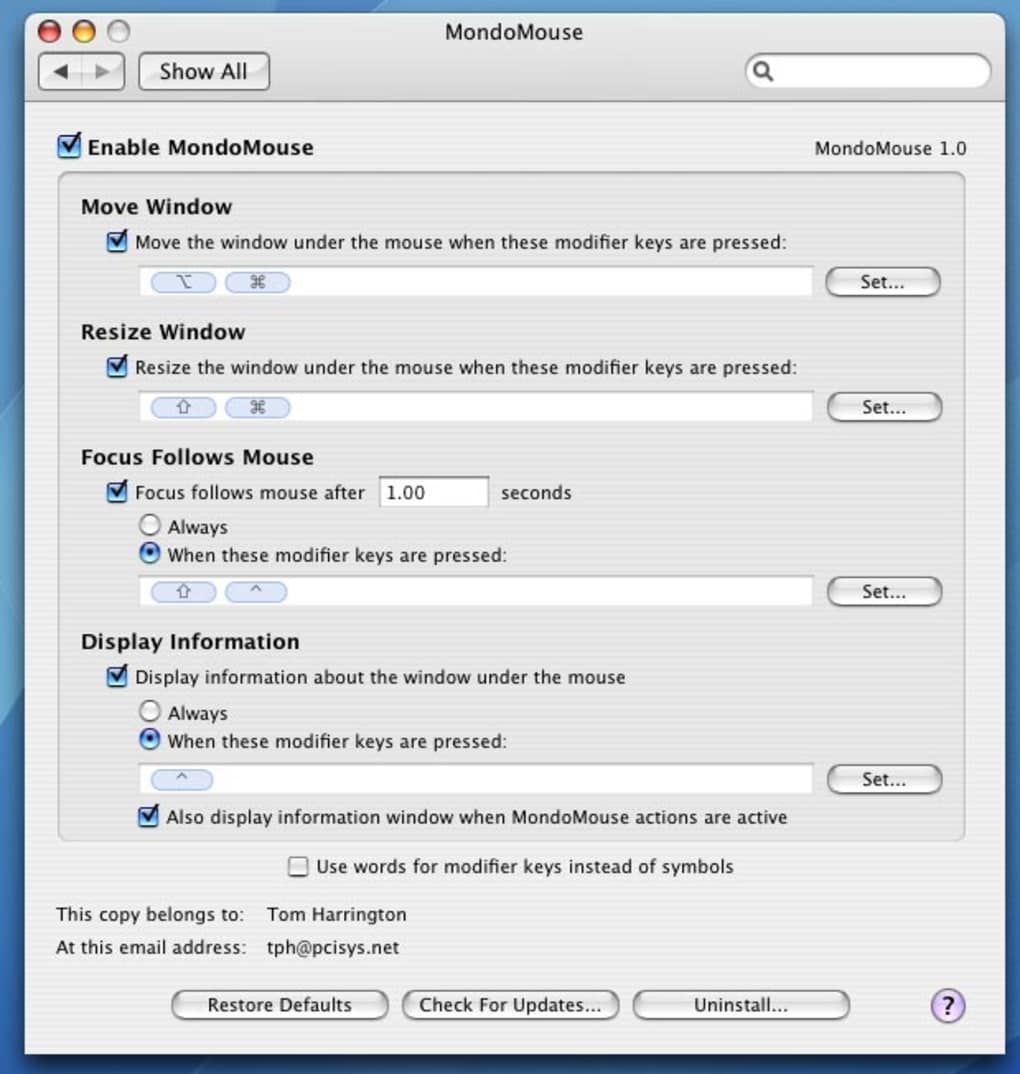
Applications→MondoMouse. The first launch may trigger a security prompt; click “Open” to allow the app to run. - Configure Settings: The main window presents sliders for speed, acceleration, and scroll behavior. Adjust each slider while observing the live preview cursor to find your ideal configuration.
- Save Profiles: Once satisfied, click “Save Profile” and give it a descriptive name (e.g., “Design Mode”). You can create multiple profiles for different tasks.
- Assign Hotkeys (Optional): Navigate to the “Hotkeys” tab to bind keyboard shortcuts for quick profile switching or individual setting toggles.
- Enable Automatic Startup: Check the “Launch at Login” box in the Preferences pane if you want MondoMouse to load each time you log in.
Using MondoMouse on a daily basis is as simple as selecting the desired profile from the menu bar icon. The icon reflects the active profile’s name, and hovering over it reveals a quick‑access submenu for speed adjustments, profile changes, and an “About” window that displays the current version and update status. If you encounter any issues—such as the occasional bug where TextEdit launched unexpectedly—simply download the latest patch (the 1.4.4 update resolves that specific problem) and reinstall. Because the software is free, there are no licensing hurdles; however, you are encouraged to check the developer’s website periodically for minor enhancements or community‑submitted tweaks.
Compatibility, System Requirements & Support
MondoMouse is built for macOS, supporting both current macOS releases and legacy Mac OS X versions dating back to 10.5 (Leopard). The application runs natively on Intel‑based Macs and has been reported to work on Apple Silicon devices via Rosetta 2 translation, though performance is identical due to its minimal resource demands. Minimum system specifications are modest:
- Processor: 1 GHz Intel or Apple Silicon (Rosetta 2 enabled for M1/M2)
- Memory: 512 MB RAM (recommended 1 GB for smoother multitasking)
- Disk Space: < 5 MB free storage
- macOS Version: 10.5 or later (including macOS 12 Monterey and macOS 13 Ventura)
Because MondoMouse operates entirely in user space, it does not interfere with system extensions or require kernel-level permissions. This design choice improves both security and stability, making the utility a safe addition to any Mac workstation. Users who rely on third‑party accessibility tools (e.g., VoiceOver) will find that MondoMouse respects macOS’s accessibility APIs, ensuring that custom cursor settings do not hinder assistive technology functionality.
Support for MondoMouse is community‑driven. The developer maintains a lightweight FAQ page and provides a direct email address for bug reports. The most recent update (v1.4.4) addressed a rare bug that caused TextEdit to launch spontaneously when the app started; the fix is included in the download package. While the software is no longer under active commercial development, its stable codebase means that users can continue to rely on it for years to come, especially in environments where a small, dependable mouse utility is preferable to larger, subscription‑based solutions.
Pros, Cons & Frequently Asked Questions
Pros
- Completely free with no hidden fees or trial limitations.
- Very low disk and memory footprint; runs silently in the background.
- Extensive customization options for speed, acceleration, and scrolling.
- Profile management and hotkey support for quick workflow changes.
- Compatible with both legacy and modern macOS versions.
Cons
- Interface looks dated compared with newer macOS design trends.
- No native support for Touch Bar or newer trackpad gestures.
- Updates stopped in 2010, so future macOS changes could affect compatibility.
Frequently Asked Questions
Is MondoMouse safe to download?
Yes. The installer is signed by the original developer and contains no adware or malware. It runs with standard user permissions, so it does not require administrator access.
Can I use MondoMouse on an Apple Silicon Mac?
MondoMouse runs on Apple Silicon Macs via Rosetta 2. Because the program is lightweight, performance remains smooth even under translation.
Does MondoMouse support multiple monitors?
Yes. The settings you configure apply system‑wide, affecting the cursor on all connected displays. You can create separate profiles for different monitor setups if desired.
How do I revert to macOS default mouse settings?
Open MondoMouse, select the default profile (usually named “Standard”), or simply disable the application from the menu bar. macOS will immediately restore its native mouse behavior.
Is there a way to automate profile switching?
Yes. MondoMouse can be controlled via AppleScript, allowing you to create scripts that switch profiles based on the active application or time of day.
MondoMouse delivers a surprisingly robust set of mouse‑customization tools for a free macOS utility. While its UI feels a bit dated, the depth of control—especially the custom acceleration curves and profile management—makes it a valuable addition for power users. The low resource usage and seamless integration with older macOS versions set it apart from many modern, subscription‑based alternatives. Overall, it’s a solid, no‑cost solution for anyone looking to make their mouse “mightier.”
Conclusion & Call to Action
If you’ve been searching for a free, lightweight tool that puts precise mouse control back into your hands, MondoMouse is worth a try. Its extensive customization options, profile system, and minimal system impact make it an ideal companion for designers, developers, and everyday Mac users alike. Download MondoMouse today, fine‑tune your cursor to match your workflow, and experience the difference that a truly customizable mouse utility can bring to your productivity.







